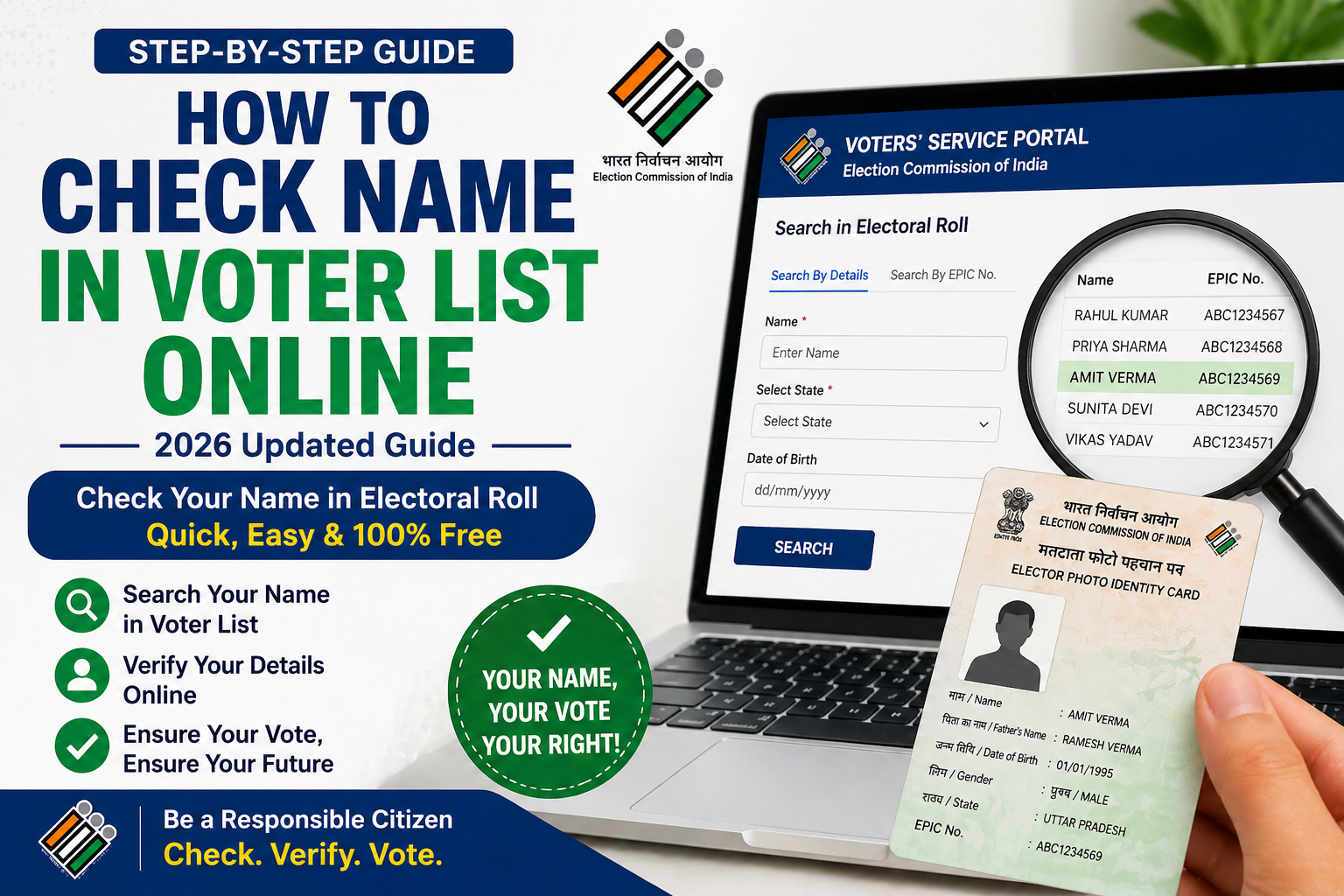
Introduction
Checking your name in the voter list is important before elections. Here is the simple method to check it online.
Steps to Check Name in Voter List
- Visit the official voter portal
- Click on “Search in Electoral Roll”
- Enter your name, age, and state
- Click search
- Check your details in the list
Tips
- Enter correct spelling
- Try multiple search options
Who Should Check Their Name in the Voter List?
Every eligible voter should check their name in the voter list before elections. This is especially important for:
- First-time voters
- People who recently shifted to a new area
- Voters who applied for a new voter ID
- Citizens who requested corrections in their details
Checking your name ensures that you are eligible to vote on election day without any issues. (check name in voter list)
What is Electoral Roll (Voter List)?
The electoral roll, also known as the voter list, is an official record maintained by the Election Commission of India. It contains the names of all eligible voters in a particular area along with their details.
Only those whose names appear in this list are allowed to vote during elections.
(check name in voter list)
Details Available in Voter List
When you search your name in the voter list, you can find:
- Full name of the voter
- Age and gender
- EPIC number
- Polling booth details
- Address information
Make sure all details are correct to avoid any problems during voting.
(check name in voter list)
Benefits of Checking Voter List Online
- Saves time and effort
- No need to visit government offices
- Instant access to your details
- Helps avoid last-minute issues on election day
Common Issues While Searching Name
Sometimes users face problems while checking their name online:
Name Not Found
- Try different spelling variations
- Use EPIC number instead of name
Incorrect Details
- Apply for correction through official portal
Website Not Working
- Try again later or use another browser
What to Do If Your Name is Missing? (Check name in voter list)
If your name is not found in the voter list, you should:
- Apply for a new voter ID using Form 6
- Check your application status
- Contact your local Booth Level Officer (BLO)
Do not wait until election day, as it may be too late to fix the issue.
Legal Importance of Voter List
The voter list is an official legal document. Only registered voters listed in the electoral roll are allowed to vote. Providing false information or attempting to vote without proper registration can lead to legal consequences under Indian election laws.
Safety Tips
- Always use official government websites
- Do not share personal details with unknown sources
- Verify your information carefully
Conclusion (Check name in voter list)
Checking your name in the voter list online is a simple but important step before elections. It ensures that you can vote without any problems and that your details are correct in the official records.
Make it a habit to verify your name before every election.
Additional FAQs (Check name in voter list)
Can I check voter list without EPIC number?
Yes, you can search using your name, age, and location.
How often should I check my name?
You should check before every major election.
Is voter list available offline?
Yes, it is available at polling booths and local offices.
What if my name appears twice?
You should report it and get it corrected immediately.
Can I vote if my name is not in the list?
No, you cannot vote without your name in the voter list.
(Check name in voter list)
What if my name is not in the voter list?
You can apply for a new voter ID online.
Can I check voter list without EPIC number?
Yes, you can search using your personal details.
How to Delete or Remove Name from Voter List
Sometimes, it is necessary to remove a name from the voter list. This may happen due to reasons like shifting to another area, duplicate entries, or death of a voter.
When Should You Apply for Deletion?
You should request deletion of a name if:
- The voter has permanently shifted to another constituency
- There are duplicate entries in the voter list
- The voter is deceased
- Incorrect or fake entries exist
Steps to Delete Name from Voter List Online
- Visit the official voter portal
- Login to your account
- Select the option for deletion or objection (Form 7)
- Fill in the required details
- Upload necessary documents (if required)
- Submit the request
What is Form 7? (Check name in voter list)
Form 7 is used to request the deletion of a name from the voter list. It is an official form provided by the Election Commission of India.
You can use this form for:
- Removing your own name after shifting
- Reporting duplicate entries
- Requesting deletion of a deceased person’s name
Documents Required for Deletion
In some cases, you may need:
- Proof of shifting (new address proof)
- Death certificate (for deceased voter)
- Identity proof
Important Points to Remember
- Deletion requests are verified before approval
- It may take a few weeks for changes to reflect
- Always provide correct and genuine information
What Happens After Deletion?
Once your name is removed from the voter list:
- You will no longer be eligible to vote from that constituency
- You can apply again in a new location if needed
FAQs on Deletion of Name (Check name in voter list)
Can I delete my voter ID online?
Yes, you can apply for deletion using Form 7 on the official portal.
How long does deletion take?
It usually takes a few weeks after verification.
Can I reapply after deletion?
Yes, you can apply again in a new area.
Is deletion free?
Yes, the process is completely free.
For more details visit : Election Commission Of India
Read more : How to Download Voter ID Online in India (2026 Guide)